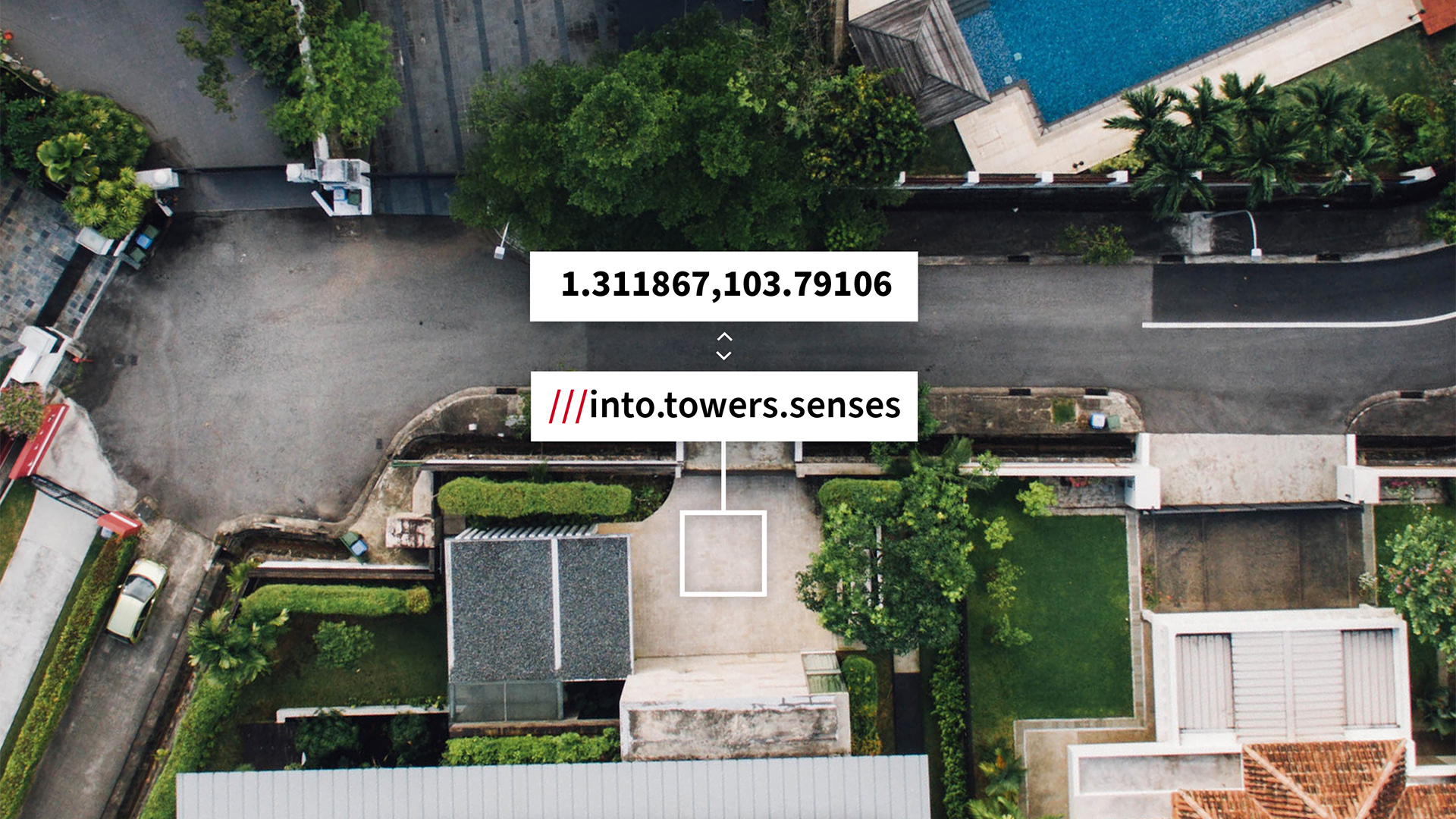
A coordinate converter for engineers working across sites, maps and spreadsheets


Engineers often work with location data in more than one format. A site plan might use a grid reference. A mapping tool might need WGS 84 coordinates. A field team might send GPS coordinates from a device. A spreadsheet might contain dozens of locations that need to be cleaned, checked or shared.
A coordinate converter for engineers needs to make those handovers easier.
The what3words Coordinate Converter supports single and batch conversion between formats including British National Grid, OS Grid References, UTM, MGRS, USNG, Web Mercator, WGS 84 decimal degrees, WGS 84 degrees and decimal minutes, WGS 84 degrees, minutes and seconds, Plus Codes, Geohashes and what3words addresses.
Why engineers need coordinate conversion
In infrastructure, utilities, land, property and field operations, location data often moves between people and systems. That can create small but annoying translation problems. For example:
- a survey file might use one coordinate format
- a mapping platform might need another
- a project spreadsheet might contain mixed location references
- a field team might need a location that is easier to communicate on site
Converting coordinates helps make the same location usable across different workflows.
Batch conversion for site and asset lists
Many engineering teams do not need to convert just one coordinate. They need to convert a list of assets, access points, worksites, inspection locations or planned jobs.
With the what3words Coordinate Converter, you can paste up to 100 coordinates at a time, choose the format you are converting from and select the output format you need. This can help when preparing data for mapping tools, checking field records or turning technical coordinate lists into a more usable format.
Adding what3words addresses to technical workflows
Coordinates are precise, but they are not always easy to say, remember or share. what3words divides the world into 3 metre squares and gives each square a unique three word address. By converting coordinates into what3words addresses, engineers and field teams can add a human-friendly location reference alongside technical coordinate data.
If your team is working with what3words addresses more regularly, what3words Pro can help you use those locations in day-to-day workflows. With Pro, you can create and share saved location lists, bulk save locations, add labels, export saved locations as CSV files, plan routes between what3words addresses and import files such as CSVs, images or PDFs to extract what3words addresses.
For engineers and field teams, that means the converter can help prepare the location data, while
Pro can help organise and use precise what3words addresses across jobs, sites and routes.